
HubSpot Will Never Work Right Out of the Box. Here’s Why That’s Actually Fine
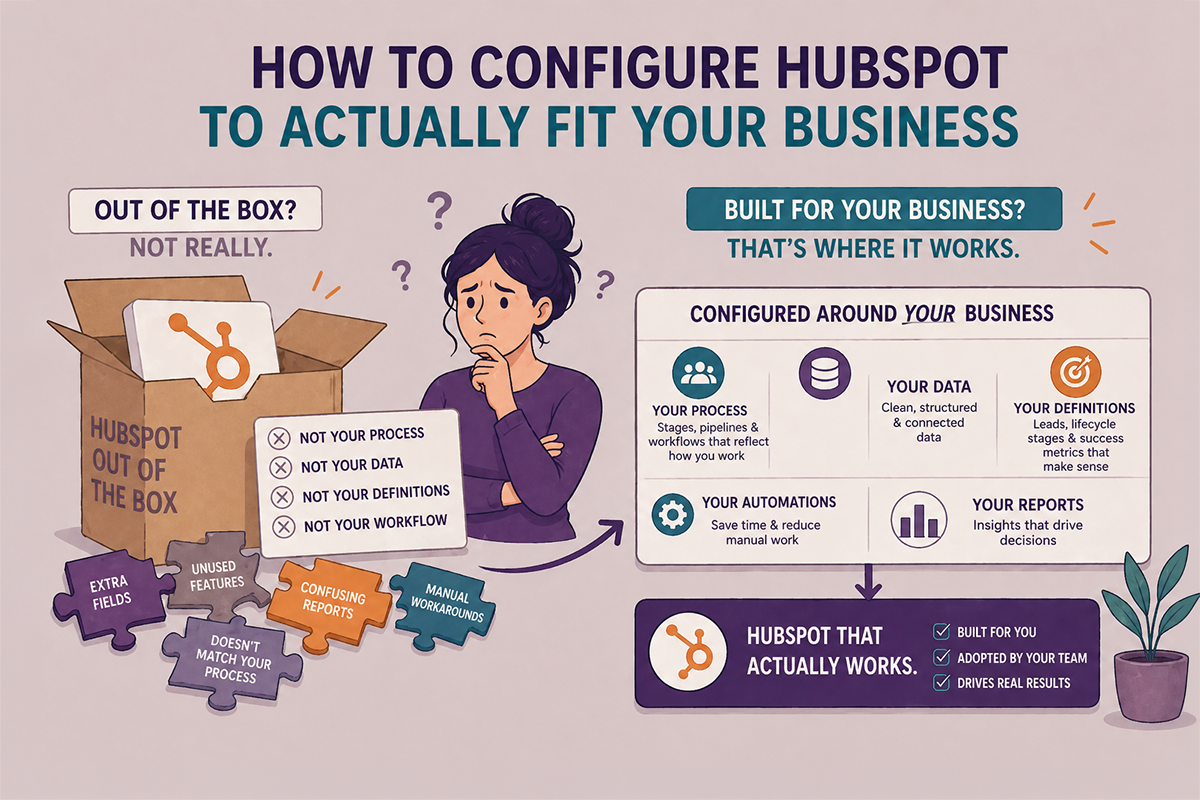
It looks ready. It isn’t.
HubSpot will never work right out of the box — and that’s not a flaw.
It’s a platform, not a pre-packaged solution. Every business sells differently, markets differently, and defines success differently. HubSpot has to be configured around your process before it can support it. That work doesn’t happen automatically.
I’ve said this to every client I’ve ever worked with, and I’ll keep saying it: no two businesses are the same.
Which means no two HubSpot setups should be the same either.
The businesses that struggle with HubSpot aren’t struggling because the tool doesn’t work. They’re struggling because the tool was never configured to work for them specifically — for how their team sells, how their leads behave, what their funnel actually looks like from first touch to closed deal.
That configuration doesn’t come pre-loaded. It has to be built in.
What “Out of the Box” Actually Gets You
When you first log into HubSpot, you get a functional starting point. A default pipeline. Generic lifecycle stages. A contact database with standard properties. Email tools. A reporting dashboard with some basic widgets on it.
It looks ready. It isn’t.
What you’re looking at is a blank canvas that happens to have a few lines sketched on it. The lines might not even be in the right place for what you’re trying to paint.
Default deal stages don’t reflect how your deals actually move. Default lifecycle stages don’t map to how your business defines a qualified lead versus a prospect versus a customer. Default reports don’t answer the questions your leadership is actually asking.
None of that is a criticism of HubSpot. It’s just the reality of what a platform is — flexible by design, which means it requires intentional setup to become useful.
The Work That Has to Happen First
Before HubSpot can be configured well, there’s a step that has nothing to do with the software: understanding the business.
How do leads actually come in? What happens to them after that? Who touches them and when? Where do deals stall? What does a customer look like at every stage of the relationship — not in the ideal scenario, but in practice?
Once those questions have real answers, HubSpot becomes straightforward to configure. The lifecycle stages reflect actual movement, not wishful thinking. The pipeline mirrors how deals actually progress. The automations do what the team would have done manually — consistently, without being asked.
Skip that step, and you end up with a portal that technically runs but doesn’t actually fit. Everything works in isolation. Nothing connects the way it should.
Why Most Portals Have Gaps
Most HubSpot portals I audit weren’t set up badly on purpose. They were set up quickly — by someone learning the platform as they went, under deadline pressure, without a clear picture of how the business process should translate into CRM architecture.
Or they were set up fine for where the business was at the time — and then the business changed. New product lines. More reps. A different go-to-market motion. The portal stayed the same while everything around it evolved.
Either way, the result looks the same: a system that runs but doesn’t really work for the business that’s using it.
What a Properly Configured Portal Looks Like
When HubSpot is built around your business — not around HubSpot’s defaults — a few things become noticeably different.
- Reports tell a clear story. Leadership can look at a dashboard and understand what’s happening without a footnote.
- Automations run without babysitting. Workflows do what they’re supposed to because the logic was built around real behavior, not assumed behavior.
- The team actually uses it. When a system reflects how people work, adoption isn’t a battle.
- Data means something. Every property, every stage, every field has a purpose — and that purpose is consistent across every record.
That’s not a complicated system. It’s just a system that was built with intention.
The One Question Worth Asking
Was your HubSpot configured around how your business actually works — or around what HubSpot defaults to?
If you’re not sure, that’s a useful thing to find out. A portal that’s running isn’t the same as a portal that’s working.
If you’d like a second set of eyes on yours, let’s talk.
Why isn't HubSpot working the way I expected?
Almost always, it’s a configuration issue rather than a tool issue. HubSpot is a platform — it’s designed to be flexible, which means it has to be set up around your specific business process before it works the way you need it to. If that setup work wasn’t done thoroughly at the start, gaps show up over time in reporting, automation, and data accuracy.
Does HubSpot require a lot of customization?
Every business requires some level of customization — because every business is different. At minimum, your pipeline stages, lifecycle stage definitions, and core properties need to reflect how your business actually operates. Without that, the defaults create noise instead of clarity.
How do I know if my HubSpot is configured correctly?
A few signals: your reports tell a clear story without requiring explanation, your automations run without manual intervention, your team uses the system consistently, and your data reflects actual business activity rather than one-off imports and manual workarounds. If any of those feel uncertain, a portal audit is a good starting point.
Can I reconfigure HubSpot after it's been running for a while?
Yes — and this is more common than starting from scratch. Most businesses that audit their HubSpot portal find that 70–80% of what’s there is usable. The work is usually clarifying definitions, cleaning up properties, rebuilding a handful of workflows, and aligning reporting to what leadership actually needs to see. It’s rarely a full rebuild.
What's the difference between HubSpot setup and HubSpot configuration?
Setup is the technical work of connecting tools, importing data, and turning features on. Configuration is the strategic work of making those features reflect your business — your stages, your process, your definitions. Most portals have been set up. Fewer have been properly configured.