
Spot Buyers Before They Raise Their Hand – Here is How
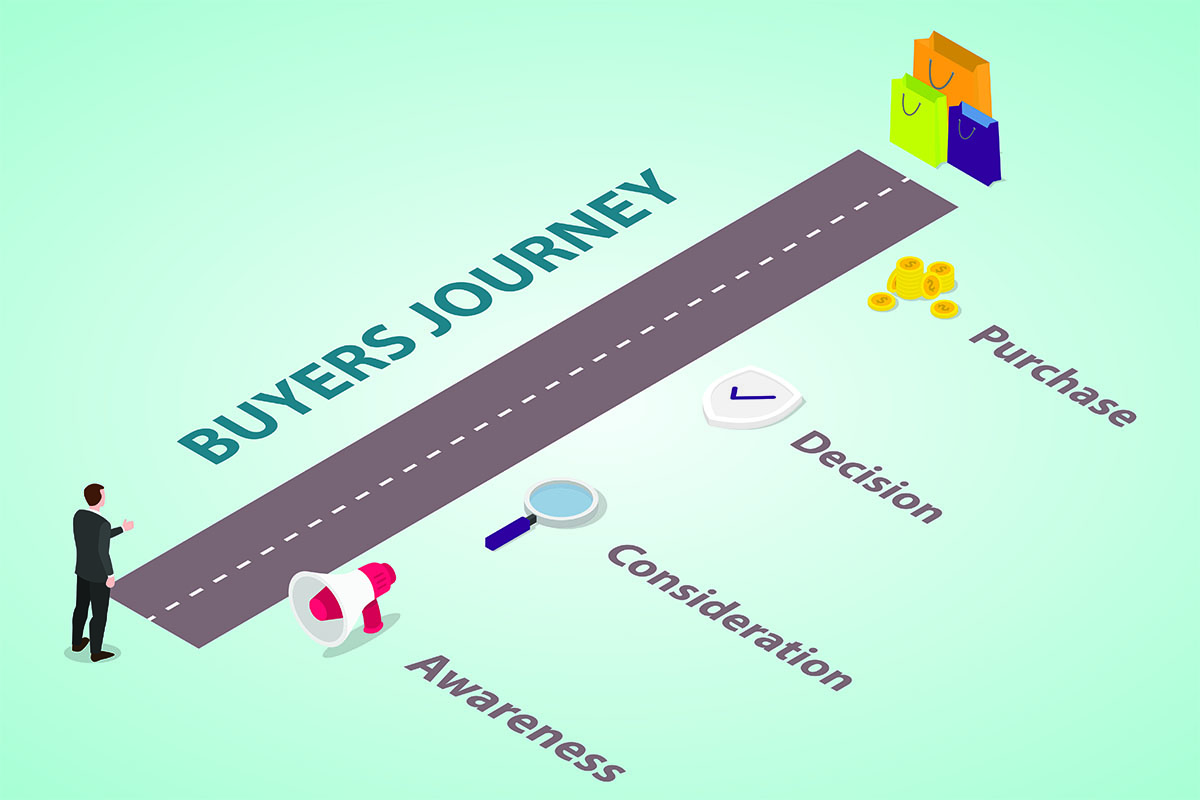
What Is Buyer Intent?
By the time a prospect fills out your form, they’ve usually already made up their mind about half of what they’re buying. Sales just doesn’t know it yet.
That’s the whole problem with waiting for the hand to go up. You’re reacting to a decision that already happened instead of showing up while it’s being made.
HubSpot’s buyer intent tools have come a long way since I first wrote about them last November, and I’ve had clients using them in live campaigns for months now. The short version: it’s working. I’ve got clients cutting their top-of-funnel prospecting time in half because they’re no longer guessing who to call — they’re watching for the signal and calling right after it fires.
What Buyer Intent Actually Means
Buyer intent is the trail companies leave behind while they’re researching or preparing to buy — before anyone talks to sales, before anyone fills out a form.
That trail can look like:
- Searching for your category
- Reading up on competitors
- Visiting a pricing page
- Expanding into a new market or office
- Announcing new funding
- Hiring into roles connected to what you sell
None of these are a lead raising their hand. They’re a lead warming up. The gap between those two moments is where most of the deal gets decided — and it’s where most companies have zero visibility.
Three Ways Clients Are Actually Using This Right Now
I’m not going to walk you through every dashboard in HubSpot — you can click around and find those yourself. What’s actually useful is what my clients are doing with the data.
Recruiting firms are timing outreach off hiring signals. If a company is posting for three sales roles, they’re scaling. That’s the exact moment a staffing or recruiting client wants to be in the inbox — not two months after the roles are filled and the pain has already been solved another way.
Logistics and customer-outreach providers are catching active searches. When a company is actively researching logistics vendors or outreach platforms, that’s a visible signal in HubSpot — and it’s a completely different conversation than a cold call to someone who hasn’t thought about the category in a year. My clients selling into that space are prioritizing these accounts first, every week.
Everyone with a geographic or account-based motion is watching for expansion signals. A new office, a new market, a new region — these events almost always come with new budget attached. Clients running ABM or territory-based outreach use expansion as a trigger to move an account to the top of the list before a competitor gets there first.
None of these are hypothetical. This is what’s actually landing in workflows and task queues for people I work with today.
How This Shows Up Inside HubSpot
Here’s the mechanics, stripped down to what matters — and this is the part people usually get wrong: this isn’t just a tool for watching accounts you’ve already found. That’s the smaller half of it.
It finds companies that aren’t in your CRM yet. This is the real value, and it’s easy to miss. HubSpot’s Visitor Intent uses reverse-IP tracking to identify anonymous companies visiting your site — no form fill required — and you can filter specifically for “Companies not in my CRM.” Research Intent goes further: it surfaces companies researching topics you care about across HubSpot’s network of 200,000+ tracked websites, whether they’ve ever touched your site or not. When one shows up, you add it to your CRM with a click. This is exactly why the recruiting, logistics, and expansion use cases above work — the whole point is catching a company before you’ve ever heard of them, not after.
For accounts you already know about, you can also track them directly. If you’ve got a defined target list — top strategic accounts, an ICP segment, a renewal book — you can add those specifically and watch for signals on just that group instead of sifting through everyone. You can automate this too: start tracking once a company hits MQL, stop once they become a customer.
Intent shows up on the company record. Job changes, funding events, expansion news, and research topics land right on the timeline, with a plain-language summary a rep can read in ten seconds before a call. No more digging through five tabs to figure out why an account suddenly matters.
You can build lists and segments off it. Want every company that researched a specific topic and raised funding in the last 90 days? That’s a filter, not a project. This is what makes the recruiting, logistics, and expansion use cases above actually workable — you’re not hunting for these signals manually.
You can feed it into lead scoring. Research intent, pricing page visits, funding size, job changes — all of it can carry point values, the same way form fills and email opens already do. This is one of the fastest ways to fix lead scoring that isn’t working, because you’re finally scoring real buying behavior instead of guessing.
You can trigger workflows off it. Pricing-page intent plus a recent funding event can automatically create a task, assign an owner, or drop a rep into a dynamic sequence built for exactly that scenario. This is the difference between intent data sitting in a dashboard nobody checks and intent data actually driving action.
Why This Matters More Than It Did Last Year
I wrote the first version of this post back in November, and even then it was clear this was going to matter. What’s changed since is adoption — clients are past the “interesting dashboard” phase and into “this is part of how we prioritize the week” territory.
If your team is still working purely off when a lead becomes an opportunity or auditing gaps in your lifecycle stages, intent data is the next layer on top of that foundation — not a replacement for it. Get the lifecycle right first. Then let intent tell you who to move through it faster.
And if a lead goes cold, don’t write it off — closed-lost isn’t always permanent, and an expansion or funding signal is often exactly what reopens the door.
Want Help Setting This Up?
If you want support with intent tracking, scoring models, outreach playbooks, ABM lists, or the workflows that turn signals into action, I can help you build a setup that actually fits your sales cycle and your ICP.
You decide which signals matter for your business
Frequent Questions About Buyer Intent
Does Buyer Intent only work for companies already in my CRM?
No — that’s actually the smaller use case. The bigger value is finding companies that aren’t in your CRM yet: Visitor Intent identifies anonymous companies visiting your site via reverse-IP tracking, and Research Intent surfaces companies researching your topics anywhere across HubSpot’s tracked network, whether they’ve been to your site or not. You can filter both specifically for “Companies not in my CRM” and add net-new ones with a click.
Will Intent Signals replace lead scoring or engagement tracking?
No, it strengthens it. Intent adds a layer of real buying behavior on top of engagement. Instead of scoring only emails, forms, and pageviews, you can score companies on market activity, research patterns, and major events — a more accurate picture of readiness.
How is this different from just watching job postings or funding news manually?
Manually tracking hiring, funding, or expansion news across even a few dozen target accounts isn’t sustainable — it’s a part-time job on top of your actual job. HubSpot surfaces these events automatically on the accounts you’ve chosen to track, so the signal reaches you instead of you hunting for it.
How quickly will my team see results from using Intent Signals?
Usually fast. Once your target markets and intent criteria are configured, signals start populating right away — including 30 days of history on any company you start tracking. Reps get context they didn’t have before, and marketing gets clarity on who’s actually in-market. Small improvements — better timing, more relevant outreach, clearer prioritization — add up quickly.