The Date That Lies to You: What “Last Activity Date” Actually Measures
Last Activity Date . . .
A sales manager pulls a list of “stale” contacts last quarter — anyone with no Last Activity Date in 30 days gets flagged for a re-engagement push. The list comes back with forty names on it. Half the reps look at it and say some version of the same thing: “I talked to that person last week.”
Nobody’s lying. The report isn’t wrong, either. They’re just not measuring the same thing.
The hidden problem
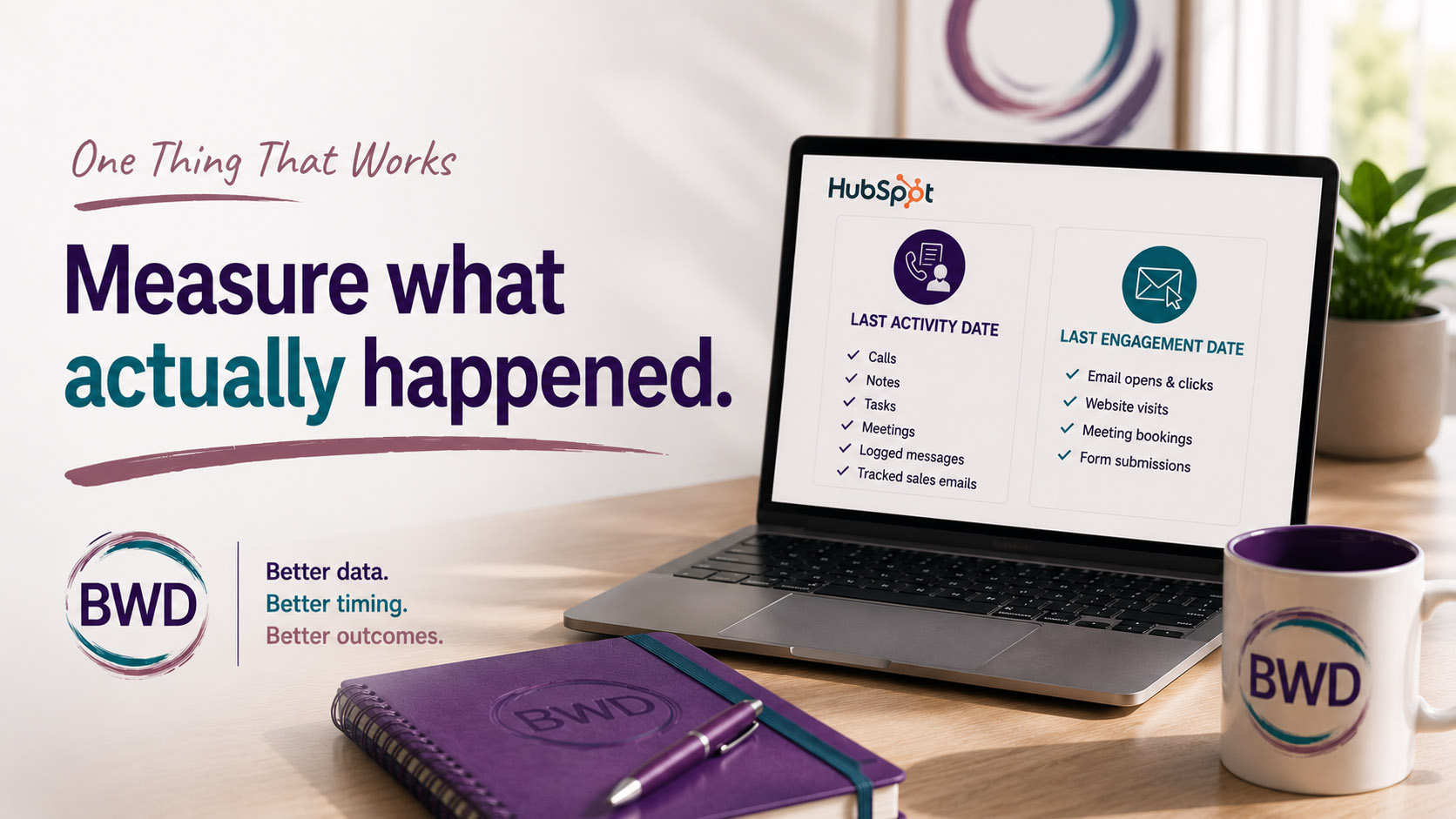
Last Activity Date feels like it should mean “the last time anything happened with this person.” It doesn’t. It’s a specific, narrow property that only updates from a specific, narrow list of actions: a logged call, a completed task, a note, a meeting, a manually logged LinkedIn/SMS/WhatsApp message, or a one-to-one sales email that was tracked and logged through HubSpot.
That last part is where the gap opens up. If a rep replies to a prospect from Gmail and it syncs to HubSpot as a logged email, great — it counts. If that same rep answers from their phone, or through an inbox connection that isn’t tracking sends the way HubSpot expects, or the email just doesn’t get logged for some quieter technical reason — it doesn’t count. The conversation happened. The property doesn’t know that.
Meanwhile, things that feel like activity — a contact opening a marketing email, clicking a link, revisiting your pricing page, submitting a form — don’t touch Last Activity Date at all. HubSpot tracks those too, just under a different name: Last Engagement Date. Two properties, two different stories, and most people building a list only ever look at one of them.
The one thing that works
Before you build a report, a workflow, or a “these leads have gone cold” list around any date property, go find out exactly what feeds it. Not what you assume it means from the label. What HubSpot actually logs into it.
For contacts, the short field guide looks like this:
Last Activity Date — logged calls, notes, completed tasks, meetings, manually logged messages, and tracked one-to-one sales emails. Sales-side, manually or automatically logged.
Last Engagement Date — one-to-one email opens and clicks, website revisit notifications, meeting bookings, form submissions. More passive, more marketing-side.
Last Contacted — the same activity types as Last Activity Date, but specifically framed around outreach: calls, non-forwarded one-to-one emails, meetings, manually logged messages.
Next Activity Date — pulls from a future call, sales email, or meeting a rep has logged or scheduled. Sequence steps don’t count toward this one, which trips up more people than you’d expect.
Once you know which bucket a property actually draws from, you know what a report built on it can and can’t tell you.
Why it works
Most “our pipeline hygiene reports are wrong” complaints aren’t reporting problems. They’re definition problems. The data is doing exactly what it was built to do — it’s just being asked a question it was never designed to answer. A “cold lead” filter built on Last Activity Date will miss every contact who’s been genuinely engaging through email opens, site visits, and form fills but hasn’t had a logged call or note yet. Flip it around, and a filter built on Last Engagement Date will miss the contact your AE has been on the phone with all month, because none of those calls show up there.
Neither property is broken. They’re just answering different questions, and the fix isn’t a new field or a workflow patch — it’s picking the right property for what you’re actually trying to see.
What to try
Pick one report or list your team relies on for pipeline hygiene — stale leads, re-engagement, whatever it is — and check which date property it’s actually filtering on. Then ask: does that property capture the kind of activity that matters for this specific decision? If reps are working contacts primarily by phone, Last Activity Date is your friend. If the play is nurture-driven and email/web engagement is the leading signal, you want Last Engagement Date, or better, both side by side.
One missing property, or one misunderstood one, is usually all it takes to make a perfectly healthy pipeline look like it’s going cold.
Teajai Kimsey is a certified HubSpot Solutions Partner and Upwork Top Rated Plus consultant (top 3% worldwide), serving small and mid-size B2B companies as a fractional HubSpot admin and strategist. She works directly with clients — no handoffs, no junior staff — bringing a business degree and years of hands-on portal work to every engagement. View the HubSpot Work Portfolio or contact Teajai to talk about your portal.
One missing property is usually all it takes to make a perfectly healthy pipeline look like it’s going cold.
Get in Touch