
Open Doesn’t Mean Active
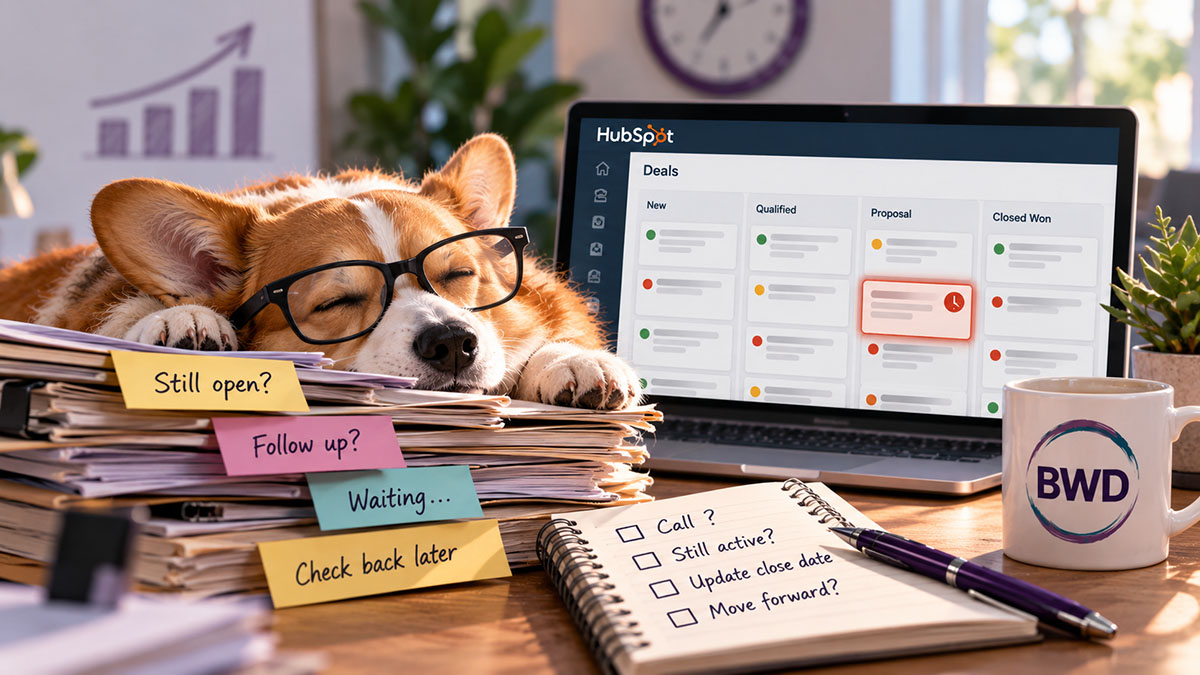
A deal sits in the pipeline for four months. Close date came and went back in June.
No calls logged, no notes, no tasks. Ask the rep about it and you get the same answer every time: “Oh, that one’s still open — just waiting to hear back.”
That’s the problem. “Open” is a status, not a promise that something is happening. A pipeline full of technically-open deals gives leadership a forecast that isn’t really a forecast — it’s optimism wearing a spreadsheet. The rep usually isn’t lying. They genuinely believe the deal is alive. But nothing in HubSpot is checking that belief against reality, so the belief just sits there, unchallenged, dragging the whole pipeline’s credibility down with it.
The one thing that works is a workflow that checks three conditions at once: no activity logged in X days, no future task or meeting scheduled, and a close date that’s already passed. When all three are true — not one, not two — the workflow doesn’t touch the deal itself. It creates a task for the deal owner. And the task doesn’t ask “is this still good?” It forces a decision: move it forward with a real next step and a close date backed by something the buyer actually said, close it as lost, or — the option nobody gets to pick — leave it exactly as it was.
Here’s why the timing matters more than most sales teams realize: deals closed within 50 days of entering the pipeline carry roughly a 47% win rate, but that number drops to 20% or lower the longer a deal sits. A deal that’s already past its close date with no logged activity isn’t a coin flip anymore — the data says it’s much closer to dead than alive. That’s exactly why this can’t be a report a manager glances at once a month. By the time a stale deal shows up on a pipeline review, the odds of saving it have usually already collapsed. The value of the workflow isn’t just tidiness — it’s catching the deal while there’s still a real chance of recovering it, and getting the false hope out of the forecast the moment it stops being true.
For a sales team, that translates into two very different kinds of help. Reps get a shorter list to actually work — the task tells them exactly which accounts need a real conversation this week, instead of scrolling a pipeline view trying to remember which “open” deals are actually live. And leadership gets a forecast that reflects what’s really likely to close, not what’s technically still marked as in-progress — which means quota conversations, hiring decisions, and revenue projections stop getting built on deals that were already gone.
If you want to try this, start with a saved view or dashboard widget built on the same three filters before you even turn on the workflow. Let a manager watch which deals would qualify for a week or two — it’s a good gut check on what “stale” should mean for your sales cycle before you start assigning tasks off it. Thirty days with no activity is a reasonable starting point for most B2B cycles, but a 90-day enterprise sale and a 2-week transactional sale shouldn’t use the same number. And don’t confuse this with deals that were dead on day one — that’s a qualification problem, not a hygiene problem, and it needs a different fix.
A few habits that keep deals from going quiet in the first place:
- Log every touch, even the small ones. A quick call that didn’t move things forward still resets the clock on Last Activity Date — that’s what keeps the “no activity” trigger honest.
- Never leave a deal without a next step. Before closing out any task tied to a deal, schedule the next one. A deal with an empty task queue is already halfway to stale.
- Treat the close date as a commitment, not a placeholder. If a rep doesn’t have something the buyer actually said to justify the date, it shouldn’t go on the deal yet.
- Check deal age against your average, not the calendar. A deal open 45 days isn’t stale for a 90-day enterprise cycle — it might be very stale for a 2-week transactional one.
- Require a reason on every Closed Lost. It’s the only way “why deals stall” turns into a pattern you can actually fix instead of a mystery you re-solve every quarter.
- Review the stale-deal view weekly, not monthly. By the time a monthly pipeline review catches it, the deal’s win odds have usually already dropped.
Teajai “TJ” Kimsey has been in email marketing since 2005 — credentialed early enough to be featured in a Wichita Eagle story on the shift from direct mail to digital — and is now a certified HubSpot Solutions Partner running BWD LLC, a fractional HubSpot admin practice for small to mid-size B2B companies. With 25+ years of digital marketing experience and Upwork Top Rated Plus status (top 3% worldwide), TJ works directly with every client — no account handoffs, no junior staff. View her portfolio or get in touch to talk through your email deliverability.
“Open” is a status, not a promise that something is happening
Frequently Asked Questions
What HubSpot properties actually drive the three conditions?
You need Last Activity Date, the deal’s associated future tasks/meetings (HubSpot can check for an upcoming activity date), and Close Date. All three already exist on a standard deal record — this isn’t a custom property build, it’s a workflow that reads what’s already there.
Do I need Sales Hub Professional or higher to build this?
Yes, for the workflow itself — deal-based workflow automation with multiple branching conditions is a Sales Hub Pro and above feature. If you’re on Starter, you can still build the saved view or dashboard widget on the same three filters and run it as a manual weekly check until you’re ready to automate it.
What if my sales cycle is genuinely long — won't this flag deals that are fine?
cycle and a 2-week transactional sale need different “no activity” windows. Set the number based on your own historical average time between touches, not a generic best practice — and revisit it once you’ve watched the workflow run for a month.
Does this replace the monthly pipeline review?
No, and it shouldn’t try to. The workflow catches individual deals the moment they go stale so nothing waits a month to get noticed. The pipeline review is still where a manager looks at patterns — is one rep’s whole pipeline aging out, is one stage a consistent bottleneck. Different job, same data.
If a rep closes a deal as lost from this task, how do we keep that useful instead of just clearing it out?
Require a Closed Lost Reason on the way out. Otherwise you’ve fixed your pipeline hygiene but lost the one piece of information — why deals like this stall — that would help you stop it from happening as often.
Get in Touch