

4 Rules I Follow for Every HubSpot CRM Architecture Decision
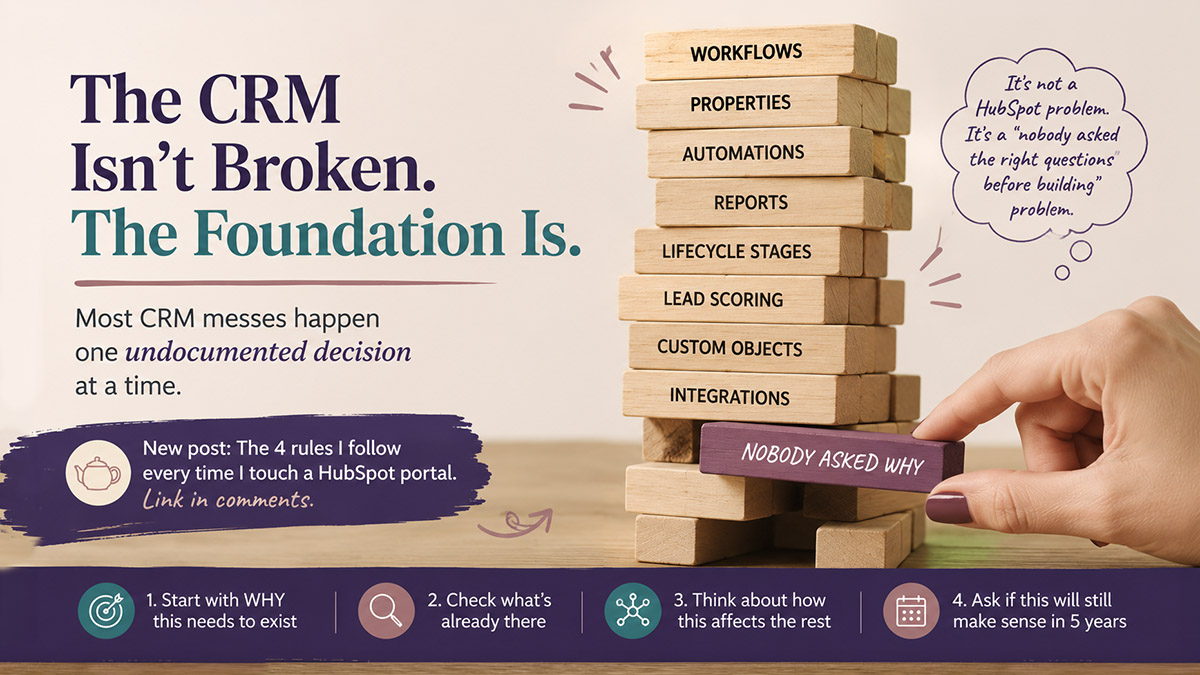
I completed another HubSpot audit over the weekend . . .
And once again, there it was. Triplicate properties. Workflows contradicting each other. A calculated property set up on a contact record trying to deduce a deal amount — which doesn’t work, and wouldn’t work even if it did. More than half the workflows sitting completely unused. The other half? Questionable at best, overlapping at worst.
This is not a rare find. It’s what I see in the majority of HubSpot portals I audit.
The reasons vary. Someone built without understanding what was already there. A contractor came in with their own approach, built it their way, and left without leaving documentation. The internal team inherited something they didn’t fully understand and just kept adding to it. No formal onboarding happened when the platform was first set up. You name it.
One of the worst cases I ever encountered was a B2B software company that came to me with reporting so broken they had abandoned HubSpot dashboards entirely and were running the business off spreadsheets. When we got into the portal, we found over 500,000 duplicate contacts — created by a development team that had no idea their integration was generating duplicates at scale. The knowledge of how the CRM had originally been built had walked out the door with previous employees. Nobody left behind documentation. The team that remained had just kept building on top of a broken foundation.
That engagement took significant triage before we could get to the actual work.
It doesn’t have to be this way. Most of these problems trace back to the same root cause: decisions being made without a framework. So here are the four questions I ask — and that anyone touching a HubSpot CRM should ask — before building anything.
Rule 1: Start with Why
Before you create a new property, build a workflow, or configure anything, ask yourself: why does this need to exist?
Not “what will this do” — why does it need to exist at all?
What is the actual business problem it solves? What happens in your process that makes this necessary? Who needs this information and what will they do with it?
If you can’t clearly answer those questions, you’re not ready to build. You’re guessing. And guessing is how you end up with a portal full of properties that nobody uses and workflows that nobody understands.
This sounds obvious. It rarely gets done.
Rule 2: Check What Already Exists
HubSpot comes with a lot out of the box. Before you create anything new, look at what’s already there.
This trips people up more than you’d think. Property names in HubSpot are not the same as what shows up on a form. You can have a property called “Location” and label it “Designate your preferred location” on the form. Those are two different things — but the underlying data goes to the same place.
What that means: you might not need a new property. You might just need to look at how the existing one is configured.
I see duplicate properties constantly — sometimes triplicate — because each person who touched the portal created their own version of something that was already there. Different name, same purpose. Now you have three properties storing the same type of information, your data is split across all of them, and none of them are reliable.
Search before you build.
Rule 3: Think Beyond the Silo
This is the one that causes the most downstream chaos.
A decision that feels contained — a new workflow, a property update, a contact record change — almost never stays contained. HubSpot is interconnected. Contacts are used across sales, marketing, and service. A workflow that updates a contact property affects everyone working with that contact, across every team.
Ask yourself: if this change goes live, what else does it touch? What workflows branch off this property? What reports depend on it? What does the sales team see? What does marketing trigger off of?
I was working with a client on a lifecycle stage cleanup — a project specifically designed to fix how contacts had been miscategorized across the CRM. In the middle of that work, a developer made what seemed like a small, targeted adjustment to one workflow setting. One setting. The result: roughly a third of the contacts in the database were reclassified. Contacts that should have been marked as Sales Qualified Leads were suddenly showing up as Prospects again. We caught it — but untangling that kind of damage mid-project takes real time, and it happened during a process that was supposed to be fixing exactly that problem.
The developer wasn’t careless. They were working on what looked like an isolated configuration. They just didn’t ask what else that workflow was connected to.
Nothing in a well-used CRM is truly isolated. Lifecycle stages drive automation, reporting, and sales queues. One change to one setting in one workflow can ripple across all of it.
Decisions made in a silo rarely stay there.
Rule 4: Will This Still Work in 5 Years
This is the question nobody asks in the moment and everyone wishes they had asked later.
Is what you’re building future-proof? Will it still make sense when the team changes? When the company scales? When a new person inherits this portal with no context?
Decisions made under time pressure, or built to solve one immediate problem, have a way of becoming technical debt. The calculated property set up on a contact record instead of a deal record that I found in that audit this weekend — that was someone trying to solve a real problem. But the solution was built in the wrong place, wouldn’t work at scale, and now it’s sitting there confusing everyone who comes across it.
When you’re building, ask: if I handed this off tomorrow with no explanation, would it make sense? Would it still serve the business in a few years, or am I building something that solves today’s problem in a way that creates tomorrow’s headache?
Rule 4: Will This Still Work in 5 Years?
This is the question nobody asks in the moment and everyone wishes they had asked later.
Is what you’re building future-proof? Will it still make sense when the team changes? When the company scales? When a new person inherits this portal with no context?
Decisions made under time pressure, or built to solve one immediate problem, have a way of becoming technical debt. The calculated property set up on a contact record instead of a deal record that I found in that audit this weekend — that was someone trying to solve a real problem. But the solution was built in the wrong place, wouldn’t work at scale, and now it’s sitting there confusing everyone who comes across it.
When you’re building, ask: if I handed this off tomorrow with no explanation, would it make sense? Would it still serve the business in a few years, or am I building something that solves today’s problem in a way that creates tomorrow’s headache?
Good CRM architecture isn’t just technically correct today. It holds up over time. If you want to see what it looks like when it doesn’t — specifically what happens when automation compounds without documentation — this post is a good place to start.
The Bottom Line
Most HubSpot portals don’t become a mess overnight. They get there gradually — one undocumented decision at a time, one quick fix layered on top of another. The antidote isn’t complexity. It’s discipline.
Ask why. Check what exists. Consider the downstream impact. Build for the future.
Four questions. Every time. Before you build anything.
If you’ve inherited a portal that’s already in rough shape, or you’re not sure whether your current setup is working for or against you, that’s what a CRM audit is for. I’d be glad to take a look.
Teajai Kimsey is a HubSpot Solutions Partner and Upwork Top Rated Plus consultant serving small and mid-size B2B companies. She works directly with clients — no handoffs, no junior staff. View the HubSpot Work Portfolio, contact Teajai.
Most HubSpot portals don’t become a mess overnight.
What is HubSpot CRM architecture?
HubSpot CRM architecture refers to the structural design of your HubSpot portal — how properties, workflows, pipelines, and objects are organized and connected. Good architecture ensures your CRM is logical, scalable, and supports your business processes without creating unnecessary complexity or data quality issues.
Why do HubSpot portals become disorganized over time?
HubSpot portals typically become disorganized when multiple people build in the portal without a shared framework, when contractors or vendors leave without documentation, or when new team members add to an existing setup they don’t fully understand. Duplicate properties, conflicting workflows, and unused configurations are the most common symptoms.
How do you know if your HubSpot portal needs an audit?
Signs your HubSpot portal needs an audit include: duplicate or unused properties, workflows that overlap or contradict each other, reports you don’t trust, data that doesn’t match what your team expects, or a general sense that the CRM is working against you rather than for you.
Should I create new HubSpot properties or use existing ones?
Before creating a new property in HubSpot, always check whether a suitable property already exists. HubSpot property names are separate from form field labels, so an existing property can be relabeled on a form without creating a new one. Creating duplicate properties to store the same type of information is one of the most common causes of data quality problems in HubSpot portals.