Protecting Your HubSpot Sending Domain: Authentication, Deliverability & the Traps In Between
“Protect your sending domain” gets used like it means one thing.
In practice, I watch clients — and a lot of the content marketed at them — collapse three or four separate settings into a single mental bucket, which means when something breaks, they fix the wrong one. Or worse, they don’t fix anything and instead reach for a workaround that treats the symptom while leaving the actual problem untouched.
This is the piece I keep having to walk people through, so let’s lay it out properly: what authentication actually covers, what it doesn’t, what genuinely keeps a sending domain healthy over time, and how to safely bring a newly connected mailbox up to real sending volume — including the “warming” services that scare a lot of people into decisions they didn’t need to make.
Three Separate Settings, Not One
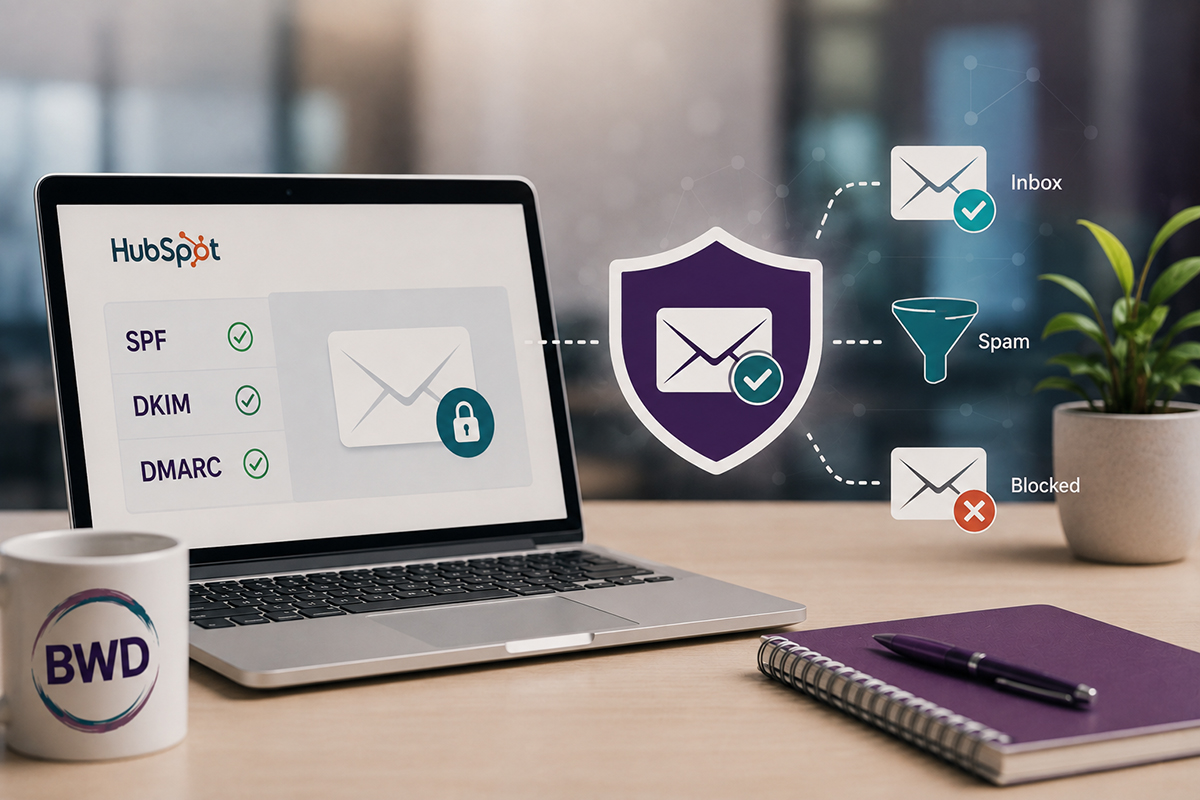
Domain authentication (SPF, DKIM, DMARC) lives in your DNS records and proves your domain is a legitimate, trusted sender.
In HubSpot, this is set up by connecting an email sending domain — under Settings > Content > Domains & URLs > Email Sending — which walks you through adding the DKIM, SPF, and DMARC records at your DNS provider. This is what inbox providers check before deciding whether to trust a message at all. It should already be in place as standard practice if you’re sending any real volume of marketing email, and it has nothing to do with which inbox is connected.
A verified marketing “From” address is a narrower, separate requirement. HubSpot won’t let a marketing email send from an address until you’ve confirmed you have access to it. That happens automatically if the address belongs to an active HubSpot user, or if it sits on a domain you’ve already authenticated. Outside of those two cases, you can verify a specific address individually through a one-time approval email — though HubSpot itself recommends against relying on that route if you’re on a paid plan, since domain-connected addresses deliver noticeably better. Skip verification entirely, and marketing email doesn’t fail to send — it just gets quietly rerouted through a HubSpot-managed placeholder domain instead of yours, which is the “why does this look unprofessional” moment people notice first.
A connected team inbox is a third, separate setting, living under Inbox settings rather than Domains & URLs. Its job is to make a shared address like hello@ visible to the whole team in Conversations — it’s not an authentication setting at all, even though the same email address is often involved in both. I cover the mechanics of that one in a separate post on team inbox setup, if that’s the piece you’re actually troubleshooting.
Marketing Email and Sales Email Don’t Travel the Same Road
This is the distinction that trips up even experienced HubSpot users: not every email HubSpot sends uses the same infrastructure.
Marketing emails — newsletters, campaigns, automated nurture — go out through HubSpot’s own sending infrastructure, governed by the domain authentication described above. One-to-one sales emails and sequences work differently: those send through each rep’s own connected individual inbox, and it’s your mail provider (Google Workspace, Microsoft 365) that actually sends them from your servers — using your domain’s standing with that provider, separate from HubSpot’s marketing-side authentication entirely.
A portal can have marketing email perfectly authenticated and still have sequence emails landing in spam, because the two paths don’t share a fix. If sequence or one-to-one email is the specific problem, the fix usually lives in the individual rep’s mail provider settings and their own sending pattern — not in HubSpot’s domain authentication at all.
Put together: if marketing email looks off, check in this order — is the sending domain authenticated in DNS, is the specific From address verified, and only then look at whether a team inbox needs connecting. If it’s sequence email specifically, look at the rep’s own inbox and sending volume instead.
“Protecting Your Sending Domain” Is an Ongoing Job, Not a DNS Checkbox
This phrase gets thrown around like domain authentication is the whole answer. It’s the entry ticket — it proves you’re allowed to send. What keeps you sending, long-term, comes down to reputation, and reputation is earned by what you actually do with your list, not just what’s in your DNS records.
Three things drive it:
- Correct authentication settings — the SPF/DKIM/DMARC piece above. Non-negotiable, but it’s the floor, not the whole picture.
- Don’t send to addresses you haven’t validated. Every hard bounce — an email that fails permanently because the address is bad or the domain is dead — tells inbox providers you’re not managing your list. Validate new contacts before they enter your sending list, especially bulk imports, rather than finding out who’s invalid by mailing them and hoping.
- Segment to keep unsubscribes and complaints low. Sending the right message to the right audience, at a frequency people actually want, is what keeps them from unsubscribing or hitting spam — not just a good subject line. A blanket send to your whole list is one of the fastest ways to spike both.
Here’s where the actual numbers matter, and it’s worth knowing two different sets of them.
Healthy targets — what you’re aiming to stay under:
- Bounce rate: under 2%
- Unsubscribe rate: under 0.5% per send
- Spam complaint rate: under 0.1%, and tighter is genuinely better — the best senders sit closer to 0.01–0.05%
HubSpot’s hard suspension thresholds — cross these and HubSpot will pause your sending account, per their own documentation:
- Hard bounce rate over 5%
- Spam report rate over 0.1% (one complaint per 1,000 emails sent)
- Unsubscribe rate over 3%
Notice that HubSpot’s spam-complaint suspension line and the industry’s healthy target are basically the same number. That’s not a coincidence — spam complaints are the most sensitive of the three metrics, and inbox providers treat them accordingly. If you’re managing toward HubSpot’s suspension limit instead of the healthy target, you’re already flying closer to the edge than you’d want, well before HubSpot’s system ever flags it.
HubSpot’s own Email Health tool tracks all three metrics against your account, and its Deliverability Protection system will throttle or pause sends automatically if you cross the suspension thresholds — but by the time that kicks in, the reputation damage has already happened. Learn more about email sending suspensions.
Where “Warming” Services Fit — and Where They Quietly Don’t
I want to address this one directly, because it’s become the panic-button move I see clients reach for, and the marketing around it scares people into decisions that don’t actually fix anything.
Email warmup tools exist for one specific, narrow purpose: giving a brand-new domain or mailbox some sending history before it starts real outreach. Practically, most of them work by having your mailbox automatically send, open, and reply to messages with a network of other inboxes — sometimes real accounts belonging to other users of the same tool, sometimes bot-generated traffic — so a domain with zero history doesn’t look suspicious the moment it starts sending real volume.
There’s a genuine problem this addresses: a brand-new domain sending thousands of emails on day one, with no sending history at all, looks exactly like what inbox providers are trained to flag. A gradual, believable ramp reduces that specific risk.
Here’s where it goes sideways. I keep seeing established domains — ones that have been sending real email for years — get talked into a warming service because something looked wrong: a spike in spam-folder placement, a client asking why open rates dropped, a scare from a promoted post about “the new Gmail rules.” None of that is a brand-new-domain problem. It’s almost always a symptom of exactly what’s covered above — an authentication gap, an unvalidated list, or over-mailing an unsegmented audience. A warming tool doesn’t touch any of those. It layers artificial activity on top of a domain that already has a real reputation problem, which papers over the symptom without fixing what caused it.
The artificial activity itself carries its own risk, too. Inbox providers have gotten meaningfully better at detecting scripted, bot-driven engagement patterns, and it’s part of why at least one major platform’s built-in warmup feature was shut down under provider pressure. Even the “safer” tools that use real seed-network inboxes instead of bots are still manufacturing engagement rather than earning it — bounce rates on that traffic sit near zero and complaints sit at zero, because none of it is a real recipient reacting to real content. That tells you nothing about whether your actual audience wants what you’re sending.
If you’re standing up a genuinely new domain for genuinely new outbound activity, a short, disciplined warmup period paired with correct authentication from day one is a reasonable, narrow tool. If you’re troubleshooting deliverability on a domain you’ve already been sending from for years, warming it up is treating a cough with cough drops instead of finding out why you have the cough. Fix the authentication, clean the list, fix the segmentation — the same three things above — before reaching for anything that manufactures activity instead of earning it.
That said, “warm up the mailbox slowly” isn’t a bad instinct on its own — it’s the bot factory part that’s the problem. There’s a legitimate version of that instinct, and it looks nothing like an outsourced warming network.
The Alternative: A Slow Roll on Your Own Authenticated Domain
Here’s what I actually run for clients instead, because “don’t use a warmup service” isn’t a complete answer on its own — someone still has to safely bring a newly connected mailbox up to real sending volume.
The old mental model was simple: providers publish a daily sending limit, you stay under it, you’re fine. That’s not how Microsoft, Google, Yahoo, or Apple actually evaluate a mailbox anymore. Their spam and security systems have shifted from counting messages to reading behavior patterns — timing clusters, message similarity, which connected app is doing the sending, links included, and how that specific mailbox has behaved historically. A mailbox that normally sends ordinary day-to-day email, then suddenly starts pushing out a burst of similarly timed, similarly structured messages through a connected app like HubSpot, can get read as a potential account takeover or bot-driven spam event — regardless of how far under the daily cap you are.
That means the fix isn’t a bigger number to stay under. It’s a real ramp, on the client’s own real, already-authenticated domain, sending to their own real recipients.
Before any of this starts, three things need to already be true: the sending domain is authenticated (SPF/DKIM/DMARC confirmed in HubSpot’s domain settings), the list has been validated in advance with a tool like ZeroBounce rather than guessed at, and bounce and complaint rates are being watched throughout the ramp, not checked once and forgotten. If the client is on Microsoft 365, it’s also worth confirming their admin has adjusted outbound spam policies and released any users the security system may already be restricting — being under the limit doesn’t stop the pattern itself from getting flagged.
From there, each sending mailbox moves through stages rather than getting turned loose on sequences at full volume the day it connects — starting with a few days of pure baseline activity and no automation at all, then introducing sequences at a conservative daily cap, watching closely for any flare-ups, and only scaling up once a stage has run clean. By the time a mailbox reaches steady state, roughly a month in, it’s sitting at a “do not exceed” ceiling I’ve mapped out precisely — and if a rep genuinely needs more volume than that ceiling allows, the answer is a second sending mailbox or a shift to marketing-sender infrastructure, not pushing one mailbox past what looks like normal human behavior.
None of this requires manufactured engagement or a third-party network of bots pretending to be real inboxes. It’s slower than a warmup service promises, and that’s the point — every stage runs on real recipients and real replies, on infrastructure that’s actually the client’s own, which is the only kind of trust an inbox provider can’t eventually detect and discount.
I’ve mapped out the exact daily, hourly, and per-minute caps for each stage — the numbers I actually use with clients — in a one-page reference. Download the Sequence Slow Roll →
The Takeaway
Domain authentication, verified sending addresses, and a connected team inbox are three different settings, in three different places, solving three different problems. Marketing email and sequence email ride two entirely separate roads with two separate authentication requirements. Protecting your sending domain, once it’s authenticated, is an ongoing discipline of validating your list and segmenting your sends. And bringing a new mailbox up to speed doesn’t require a bot factory — it requires a real, gradual plan on real infrastructure you actually own.
Teajai “TJ” Kimsey has been in email marketing since 2005 — credentialed early enough to be featured in a Wichita Eagle story on the shift from direct mail to digital — and is now a certified HubSpot Solutions Partner running BWD LLC, a fractional HubSpot admin practice for small to mid-size B2B companies. With 25+ years of digital marketing experience and Upwork Top Rated Plus status (top 3% worldwide), TJ works directly with every client — no account handoffs, no junior staff. View her portfolio or get in touch to talk through your email deliverability.
Protecting your sending domain is an ongoing job.
Frequently Asked Questions
Is domain authentication the same as protecting your sending domain?
No. Domain authentication (SPF, DKIM, DMARC) is the entry ticket that proves your domain is trustworthy. Protecting your reputation long-term also requires validating your list before sending and segmenting to keep bounce, unsubscribe, and spam complaint rates low. Authentication alone doesn’t guarantee good deliverability if list hygiene and sending practices are poor.
Do sequences and one-to-one sales emails use the same authentication as marketing emails?
No. Marketing emails send through HubSpot’s own infrastructure and rely on the domain authentication set up under Domains & URLs. Sequences and one-to-one sales emails send through each rep’s own connected individual inbox, using your mail provider’s servers and reputation (Google Workspace, Microsoft 365) — not HubSpot’s marketing-side authentication. It’s possible for marketing email to be fully authenticated while sequence emails still land in spam, because the two paths don’t share a fix.
What bounce and unsubscribe rates should I be aiming for?
Aim to stay under a 2% bounce rate, under 0.5% unsubscribe rate per send, and under 0.1% spam complaint rate — with spam complaints ideally much lower, since that’s the most sensitive metric of the three. HubSpot’s own account suspension thresholds are higher (5% hard bounce, 3% unsubscribe, 0.1% spam report), so managing toward the healthy targets keeps you well clear of HubSpot pausing your sending account.
Should I use an email warmup service to fix a deliverability problem?
Usually not, if the domain has an existing sending history. Warmup services are built for brand-new domains or mailboxes with zero sending history — they layer artificial activity on top of a domain to simulate a track record. If an established domain suddenly has deliverability problems, that’s almost always an authentication gap, an unvalidated list, or poor segmentation, and a warmup service won’t fix any of those; it just adds artificial traffic on top of the real problem.
Are email warmup tools risky?
Some more than others. Bot-driven warmup networks are increasingly detectable by inbox providers and can be penalized. Tools using real seed-inbox networks are lower risk but still manufacture engagement rather than earning it from real recipients, which means the activity tells you nothing about how your actual audience responds to your content.
How should I actually ramp up a newly connected sequence mailbox?
Gradually, on the mailbox’s own already-authenticated domain, in stages rather than at full volume immediately — starting with a few days of normal, non-automated activity, then a conservative sequence cap for the first couple of weeks, scaling up only after each stage runs clean, and settling into a steady-state daily ceiling after about a month. Volume alone isn’t the safeguard, since providers now watch for sudden pattern changes in an existing mailbox, so the ramp matters as much as the numbers. The exact caps I use at each stage are in the downloadable one-pager linked above.
Why does staying under the daily sending limit not guarantee my emails go through?
Because inbox providers now analyze sending behavior in clusters, not just totals — timing patterns, message similarity, which app is doing the sending, and how that mailbox has behaved historically. A mailbox that suddenly sends a burst of similarly timed, similarly structured messages through a connected app can get flagged as a possible account compromise or automation event, even well under the numeric cap.
Get in Touch