

Why Your Website Isn’t Converting (And It’s Not Your Offer)
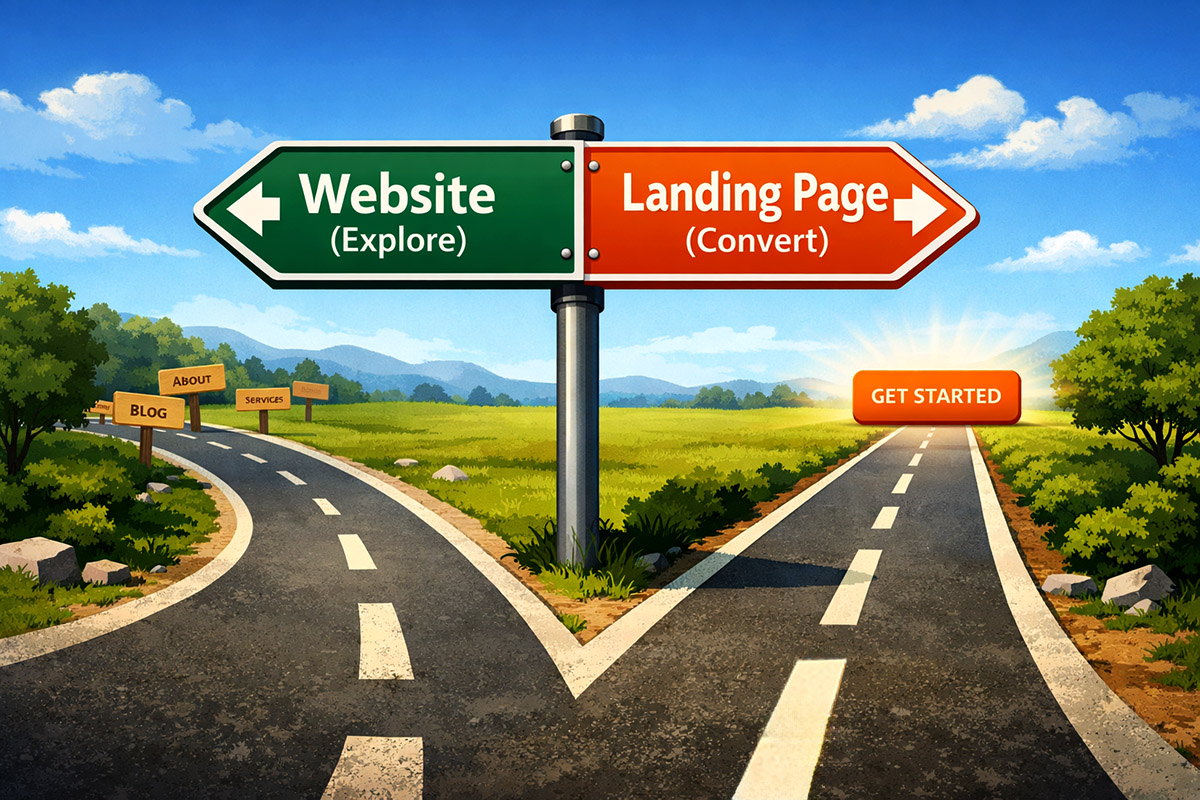
When structure improves, conversions improve.
Sometimes this conversation doesn’t start with, “We’re not getting sales.”
It starts with:
“Why does HubSpot show so little traffic?”
“Why aren’t conversions showing up?”
“Why do our campaign reports look so thin?”
The first thing to check is always technical. Is the tracking code installed? Are domains connected properly? Are forms embedded correctly?
But once that’s confirmed?
It’s rarely a tracking issue. It’s almost always structure.
And in HubSpot, structure matters more than people realize — because HubSpot intentionally separates Website Pages from Landing Pages.
That separation isn’t cosmetic. It’s strategic.
HubSpot Has Two Page Types for Two Different Jobs
Website pages are built for exploration. They’re part of your broader site. They include navigation, footers, internal links, and multiple calls to action. They support SEO, brand discovery, and browsing behavior.
Landing pages are built for decision. They’re campaign assets. They remove navigation, reduce competing options, and focus attention on one specific action — typically tied to a form and a workflow.
When you send campaign traffic to a browsing page, HubSpot will happily track visits.
What it won’t track?
Conversions that never happen.
And that’s when reports start looking light.
When HubSpot Shows Low Traffic (Or Low Conversions)
Let’s say you run paid ads and drive 1,000 visitors to your homepage.
HubSpot reports 1,000 sessions. But only 10 people convert.
Now your dashboards show:
-
Low conversion rate
-
Minimal new contacts
-
Weak campaign attribution
-
Thin lifecycle progression
Nothing is technically broken. But structurally? The page was built for browsing, not converting.
Now imagine you send those same 1,000 visitors to a focused landing page that matches the ad message and has one clear call to action.
Even a modest lift — say 60 conversions instead of 10 — completely changes your reporting:
More contacts.
Cleaner attribution.
More workflow enrollment.
More measurable lifecycle movement.
Same traffic.
Different structure.
Very different data story inside HubSpot.
A Real Example: Consumers vs. Wholesale Buyers
Let’s say you serve two markets: direct consumers and wholesale retailers.
A consumer clicking from Instagram wants to see product imagery, pricing, reviews, and maybe a limited-time offer. They’re thinking about gifting, ambiance, or shipping timelines.
A wholesale buyer, however, is evaluating margins, case quantities, fulfillment reliability, and resale opportunity. They don’t want lifestyle copy — they want logistics and numbers.
If both audiences land on the same general website page, neither feels fully understood. Consumers get distracted by distributor language. Wholesale buyers get lost in retail messaging.
HubSpot will track visits. But it won’t manufacture conversions where alignment doesn’t exist.
Two markets require two landing experiences. When each audience sees messaging built specifically for them, conversion rates improve — and so does the clarity of your reporting.
More work? Yes. Better results? Almost always.
SaaS Example: One Product, Multiple Angles
The same logic applies to SaaS.
Most SaaS platforms solve multiple problems. They might improve reporting, automate workflows, reduce manual errors, or offer special education licensing discounts.
If you run an ad that says “Cut Reporting Time in Half” and send visitors to a homepage that talks about everything your product does, you’ve broken the promise of the click.
That visitor expected a solution to one pain point. Instead, they’re handed a menu.
A stronger approach is building separate landing pages aligned to each benefit. One page focuses entirely on reporting automation. Another centers on workflow efficiency. A separate one speaks directly to education licensing with relevant testimonials and pricing context.
Now your ad copy, headline, and call to action are aligned.
HubSpot can clearly attribute which campaign drove which form submission. Lists segment automatically. Follow-up workflows become precise.
This isn’t just better messaging. It’s cleaner data architecture.
Where HubSpot Becomes Powerful
This is where things move beyond generic landing page advice. HubSpot landing pages aren’t static brochures. They can leverage your CRM data.
You can personalize content based on lifecycle stage, list membership, device type, or whether someone is already a known contact. You can use progressive profiling so returning leads don’t keep filling out the same fields. You can adjust messaging automatically for education prospects versus enterprise buyers.
Imagine a returning MQL seeing stronger urgency messaging.
An existing customer seeing an upgrade path instead of a demo form.
A wholesale contact seeing testimonials from other retailers instead of consumer reviews.
Now your page isn’t just focused. It’s intelligent. Better alignment leads to higher conversions, which leads to stronger reporting, which leads to clearer decision-making.
The Quiet Truth About “Low Traffic”
If HubSpot is showing:
-
Low traffic
-
Low conversion rates
-
Weak campaign attribution
-
Minimal lifecycle progression
After verifying your tracking code… It’s usually not the offer. And it’s rarely HubSpot.
It’s that the pages being used weren’t built for the intent of the click.
Website pages are designed for exploration.
Landing pages are designed for campaigns.
When those roles get mixed up, performance suffers — and your HubSpot reports reflect it. When structure improves, reporting improves.
And suddenly the problem wasn’t pricing.
Or the market.
Or even traffic.
It was alignment.
The right audience.
The right message.
The right page.
At the right moment.
That’s not web design. That’s conversion architecture — and HubSpot is built to support it.